
Consolidated Timesheets
This is a summary display of timesheet data within the date range you specified. This is a read-only report.
To run Consolidated Timesheets on the Ribbon Bar go to Payrun Processes and click on the Timesheets button:

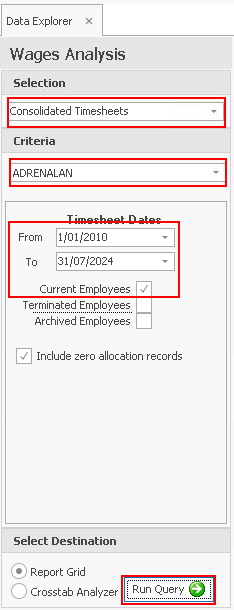
This will open Data Explorer > Wages Analysis.
Select Consolidated Timsheets.
If you have more than one company choose the company you want to run the report for.
Enter the Date Range, tick the employee's you want to report on and click Run Querywhen you have completed your selections.
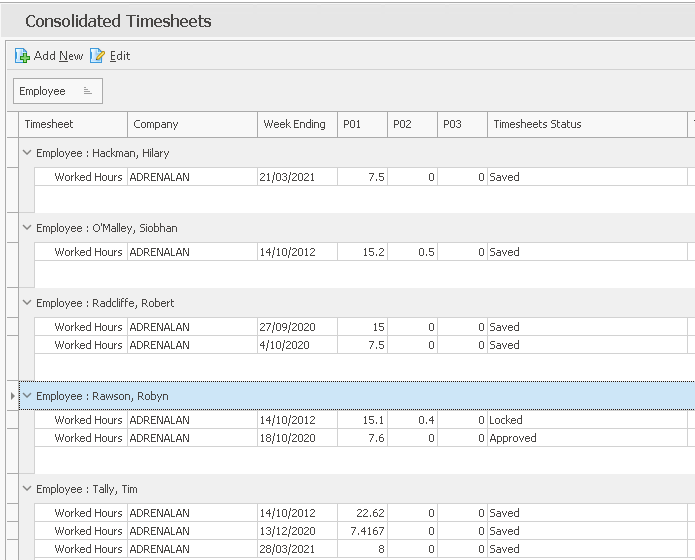
It includes all types of timesheets, i.e. it does not matter where they were created or whether they are daily or weekly timesheets; the type will be indicated in the Timesheet column.
This is a report where Grouping Columns would be appropriate.
Return to Overview of Timesheets